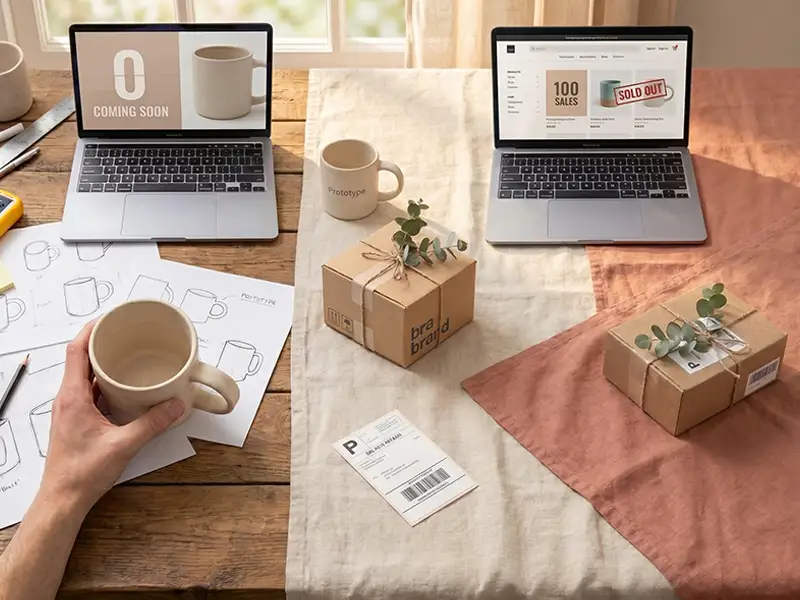
Let's be straight with you: starting an online store isn't the "launch in 5 minutes" fantasy that ads love to sell — but it's not as overwhelming as you might fear either. The difference between a store that thrives and one that quietly shuts down after a few months usually isn't a bigger budget. It's doing the right things in the right order, with realistic expectations.
This guide won't scare you or hype you up with empty promises. We'll walk through the exact path a real store takes to reach its first sale — step by step, honestly, and without the sales pitch.
Quick answer: Starting an online store comes down to seven core steps: (1) choose a product and validate demand, (2) decide your business model and sourcing, (3) pick a platform and build your store, (4) set up payments and handle the legal basics, (5) sort out shipping and logistics, (6) create content and optimize for SEO so people can find you, and (7) market your store and land that first sale. Follow them in order and your odds go way up.
Before You Start: One Important Reality
A lot of people think "if I build a store, the sales will come." The truth is your store is just a storefront — like a shop on an empty street. Until you bring customers to it, nothing sells.
So adopt this mindset from day one: a successful online store = a good product + a professional site + visibility (SEO and marketing) + great customer support. Focus on only one of these and the rest will wobble.
Step 1: Choose a Product & Validate Demand
This is the foundation. Before spending a dime, answer these honestly:
- What are you selling? A physical product, a digital one, or a service?
- Is there demand? Search Google, Amazon, and marketplaces — are people actively looking for this?
- Who are the competitors? Plenty of competition means a market exists (good), but you'll need a clear point of difference.
- What's the margin? After product cost, packaging, shipping, and payment fees, what's actually left for you?
An honest tip: the best product to start with is one that has real demand and that you can access and understand. Loving your product isn't enough — the market has to want it too.
Step 2: Business Model & Sourcing
Now that you've picked a product, decide how you'll source and deliver it:
- Buy & hold inventory: You purchase stock, store it, and ship it yourself. Full control, but it needs upfront capital.
- Dropshipping: You don't hold stock; after an order, your supplier ships it. Low capital, but less control and thinner margins.
- Make it yourself: Handmade goods or your own brand. High differentiation, but slower to scale.
Most beginners start with a small range of products and a simple model, then expand. Everything doesn't have to be perfect on day one.
Step 3: Choose a Platform & Build Your Store
This is where most of the wrong decisions get made. You have three broad paths:
a) Hosted store builders (e.g., Shopify)
Fast and beginner-friendly, with payments and hosting handled for you. Monthly fees and transaction costs add up, and you have less control over deep customization and SEO. Great for testing an idea quickly.
b) WordPress + WooCommerce
The most popular choice for small-to-medium businesses. Flexible, cost-effective, and highly extensible. For most new and growing stores, it's a sensible balance of cost and capability.
c) Custom-built (coded) store
For large stores with specific needs, high traffic, and custom features. More expensive, but no limits and fully scalable.
Which one? If you're just starting and budget is tight, a store builder or WooCommerce usually gives the best balance of cost and features. If your business is large or needs special functionality, custom development is worth the investment. For a deeper comparison, read our guide on WordPress vs. custom website.
Whatever you choose, your store must have:
- Fast loading speed (customers won't wait)
- Full mobile responsiveness (most shopping happens on phones)
- A solid SEO structure from day one
- Professional product pages with photos, descriptions, and reviews
- A simple, fast cart and checkout
- A secure payment process
Step 4: Payments & the Legal Basics
To accept money online and sell legally, you'll typically need:
- A payment provider: Services like Stripe, PayPal, or your platform's built-in payments let you accept cards and digital wallets. Compare their transaction fees.
- A registered business: Depending on your country, you may need to register a sole proprietorship or company before you can operate and collect payments.
- Sales tax / VAT: Understand your obligations for charging and remitting tax based on where you and your customers are located.
- Clear policies: Privacy policy, terms of service, and refund/return policy aren't just legal cover — they build trust.
Tip: Sort out payments and policies early. Buyers abandon checkouts fast when they don't see familiar, trustworthy payment options.
Step 5: Shipping, Packaging & Logistics
Don't underestimate this — the post-purchase experience is built right here.
- Decide your shipping methods (carriers, flat rate, free shipping thresholds).
- State shipping cost and delivery time clearly on your site.
- Reliable, tidy packaging has a big impact on satisfaction and repeat orders.
- Make your return and exchange policy obvious. It builds trust.
Step 6: Content & SEO — What Actually Gets You Found
This is where serious stores pull ahead. If you want customers without paying for ads forever, you need to show up on Google:
- Write proper SEO titles and descriptions for every category and product.
- Make product descriptions unique and complete (copying the supplier's text hurts your SEO).
- Start a blog and create content around topics related to your product.
- Keep your site's technical foundation (speed, sitemap, structured data) clean.
SEO takes time, but it's the most sustainable and lowest-cost source of customers long-term. To understand how to climb the results, see our guide on how to rank higher on Google.
Step 7: Marketing & Landing Your First Sale
Your store is live — now you need customers. The main channels:
- Social media: Instagram, TikTok, and others to showcase products and build trust.
- Paid ads: Google Ads and social ads for faster early sales.
- Email & SMS: To bring customers back and announce promotions.
- Affiliates & influencers: For quicker visibility.
An important reality: the first sale is usually the hardest one. After that — by collecting customer reviews, improving your product, and advertising smartly — momentum builds. Be patient and measure your numbers.
The 7 Steps at a Glance
| Step | Core task | Key takeaway |
|---|---|---|
| 1 | Choose a product & validate demand | Demand beats passion |
| 2 | Business model & sourcing | Start small |
| 3 | Build your store | Speed, mobile & SEO from day one |
| 4 | Payments & legal basics | Familiar, trusted checkout |
| 5 | Shipping & logistics | Transparency builds trust |
| 6 | Content & SEO | A sustainable source of customers |
| 7 | Marketing & first sale | Measure your numbers |
4 Common Mistakes When Starting an Online Store
1. Rushing to build before validating the market. First confirm there are buyers, then invest.
2. Picking the cheapest possible site. A slow, insecure store loses customers and trust at the same time.
3. Ignoring SEO from day one. Bolting on SEO structure later costs far more time and money.
4. Forgetting customer support. A fast, honest reply is the difference between one purchase and a loyal customer.
Wrapping Up: Where Do I Start?
If we had to compress this whole guide into one sentence: validate the market first, then build a professional, SEO-ready store, and think about visibility and customer experience from day one.
You don't have to learn everything from scratch yourself. The technical part — building a fast, secure, SEO-ready store — is exactly where an experienced team can save you months of time and money.
With 18 years of experience and 900+ successful projects, Webkaj builds online stores with a focus on speed, security, and SEO, and can suggest the best path for your product and budget in a free consultation — even if your final decision goes another way.
View our store portfolio | Get a free consultation
To plan your budget, see our website design cost guide, and to pick the right team, read our how to choose a web design agency checklist. You can also learn more on our e-commerce website design page.


